 Free readiness check
The user journey
Thirteen steps from “where are we?” to certified
Every stage has one job, a clear gate and a record. Follow the order, or jump to the part you need.
Stage 0 · Check
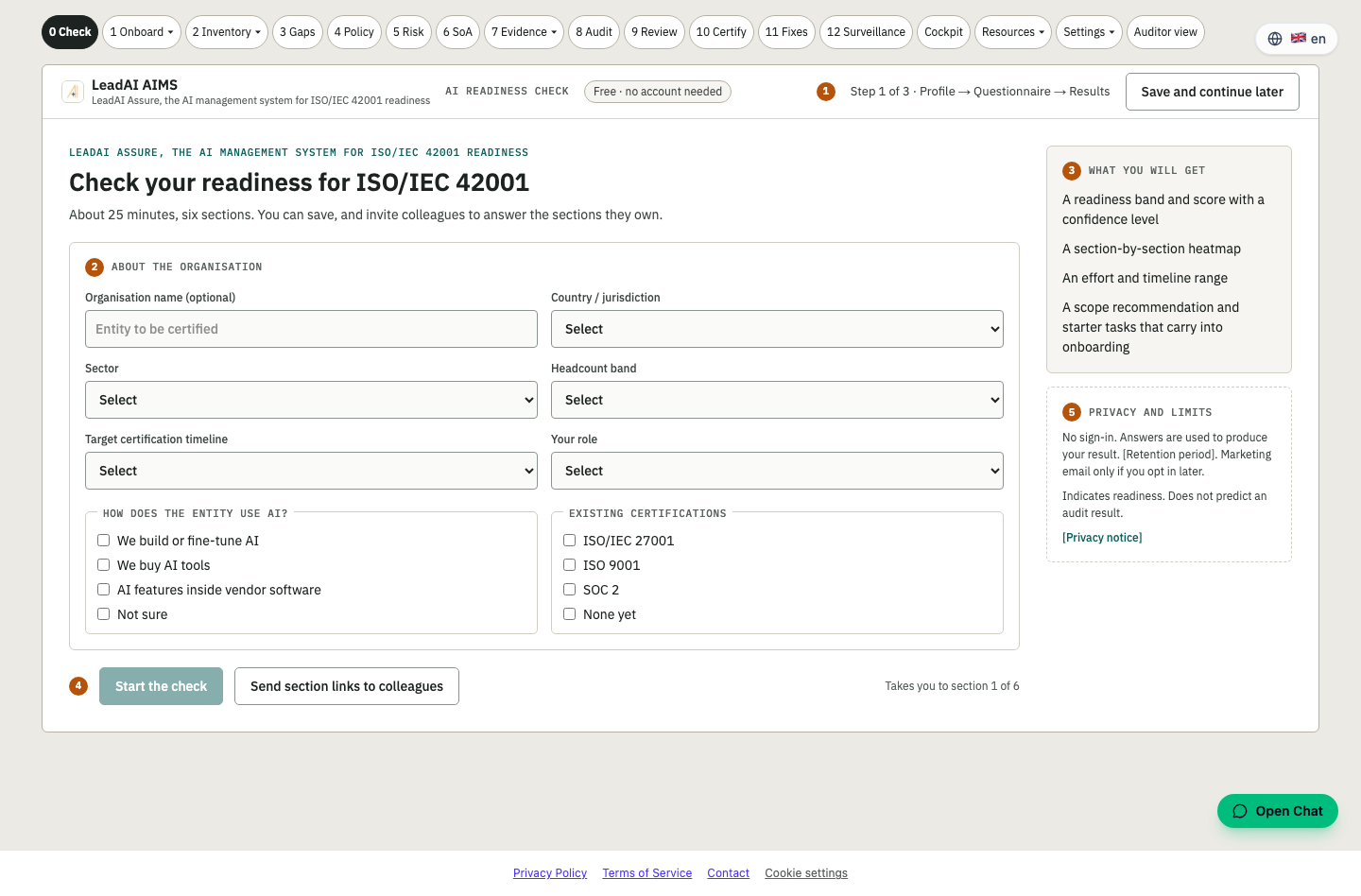
Know where you stand in 25 minutes
Free AI Readiness Check for ISO/IEC 42001. No account needed.
Answer six short sections about your organisation and how it uses AI. Invite colleagues to answer the sections they own, save and come back later.
- Readiness band and score with a confidence level
- Section-by-section heatmap
- Effort and timeline range
- Scope recommendation and starter tasks that carry into onboarding
Outcome: Your starting line, and a business case for the board.
Stage 1 · Onboard
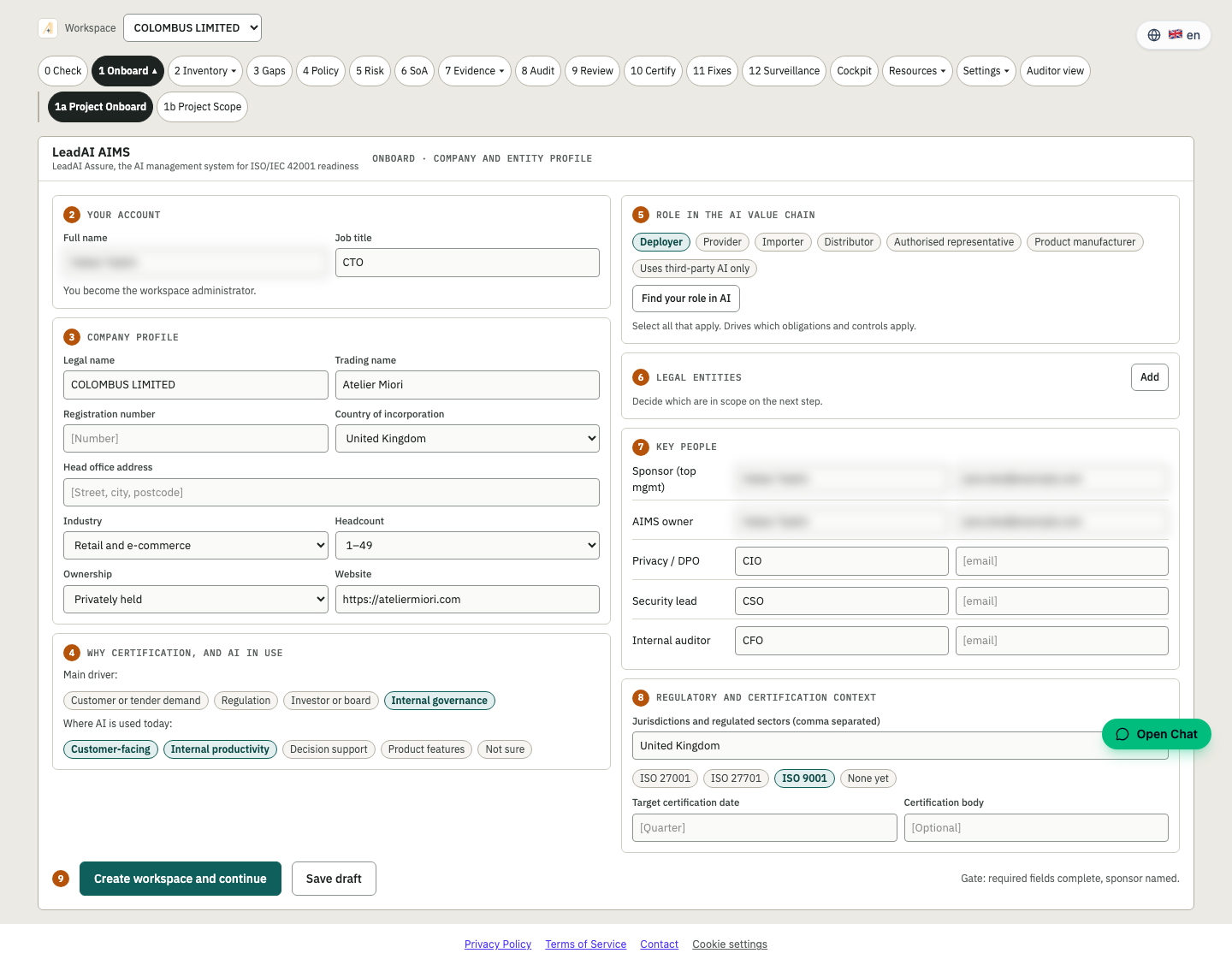
Set up your company and entity profile
Turn the check result into a workspace your team can work in.
Capture who you are, what you do and who is responsible. Starter tasks from the readiness check arrive already in your plan.
- Company and entity profile
- Members and roles: admin, editor, viewer, auditor
- Starter tasks carried over from Stage 0
- Gate to move on, with sign-off recorded
Outcome: Everyone knows their role from day one.
Stage 1b · Scope
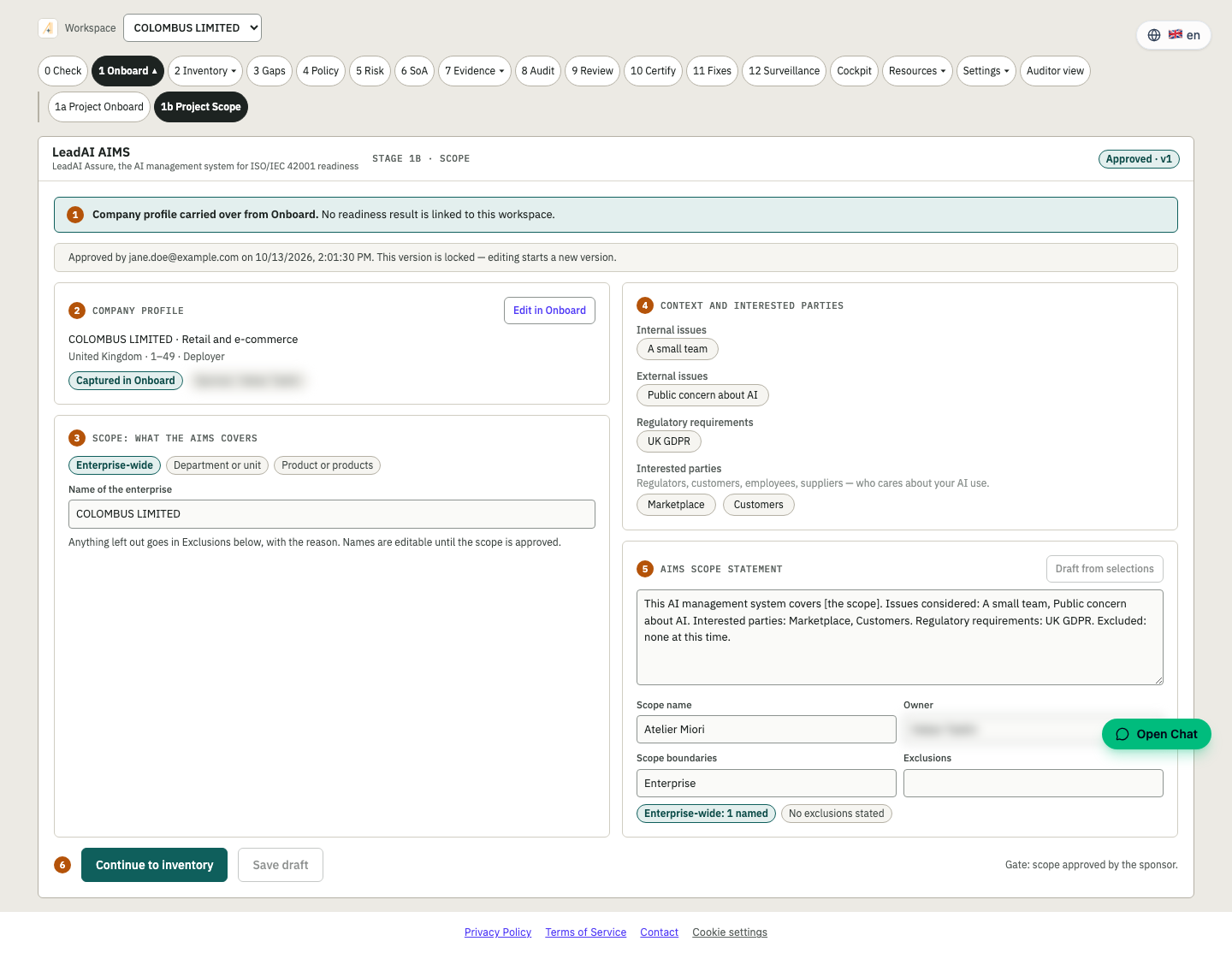
Define the boundary of your AI management system
The AIMS scope statement, written once and reused everywhere.
Describe internal and external context, interested parties, boundaries, lifecycle coverage and exclusions (ISO/IEC 42001 clause 4).
- Context, interested parties and boundaries
- Lifecycle coverage and justified exclusions
- Becomes a required document in the cockpit
- Shareable with your auditor
Outcome: A scope an auditor can read in minutes.
Stage 2 · Inventory
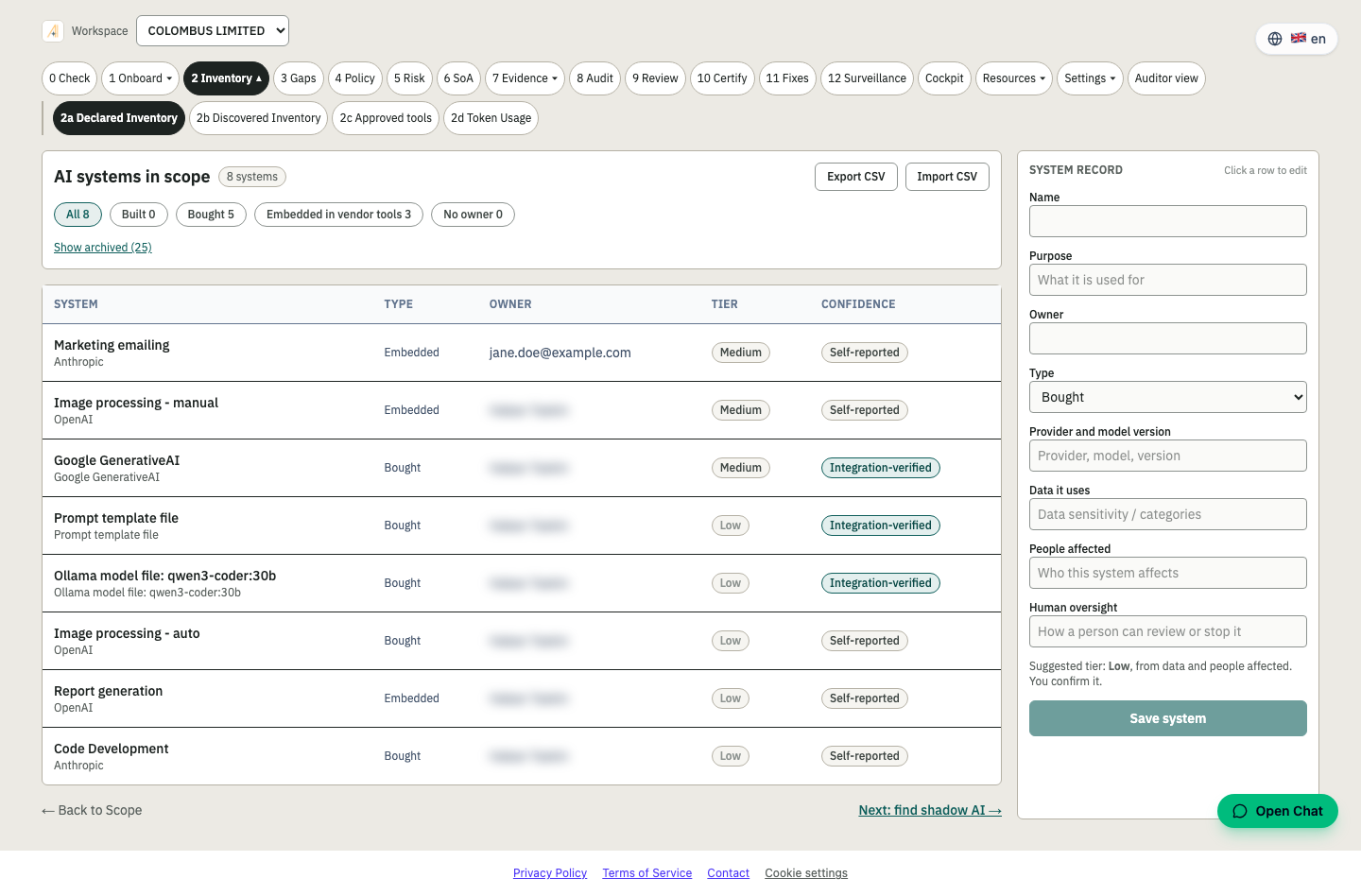
Declare every AI system you build, buy or embed
One register of AI systems, with owner, purpose and risk context.
Register AI systems with their owner, vendor, purpose and data. Archived systems drop out of the counts automatically so the numbers stay honest.
- Declared AI system register
- Owners, vendors and purposes
- Feeds gaps, risk and the Statement of Applicability
- Live counts on the cockpit
Outcome: You cannot govern what you have not listed.
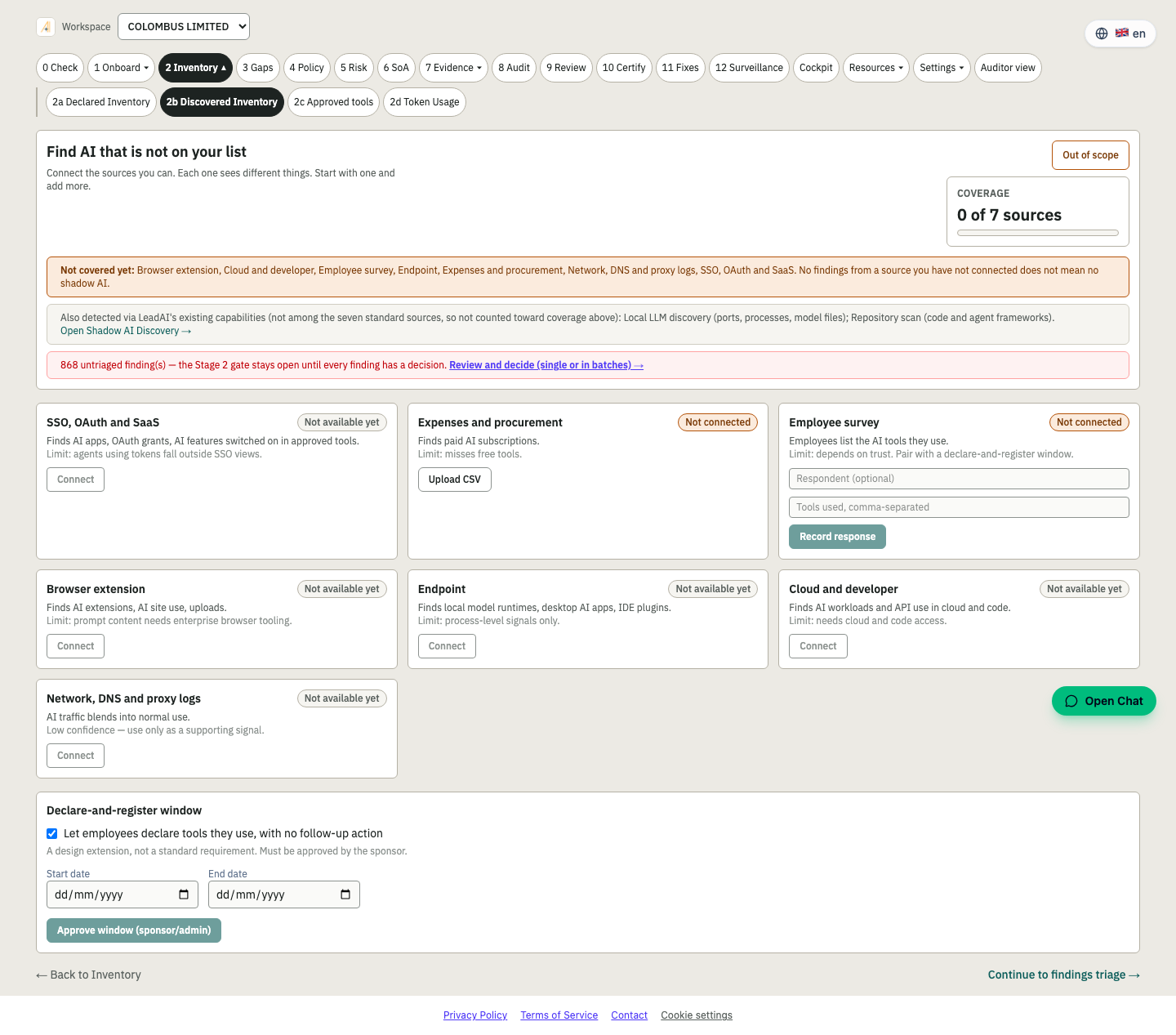
Stage 2b · Discovered inventory
Find the AI nobody told you about
Shadow AI discovery alongside what teams declared.
Compare what was declared with what is actually in use. Triage each finding: approve, replace or stop.
- Discovered AI tools and services
- Triage workflow for every finding
- Findings flow to the approved list and to risk
- Linked to Annex A.10 third parties
Outcome: Close the gap between policy and practice.
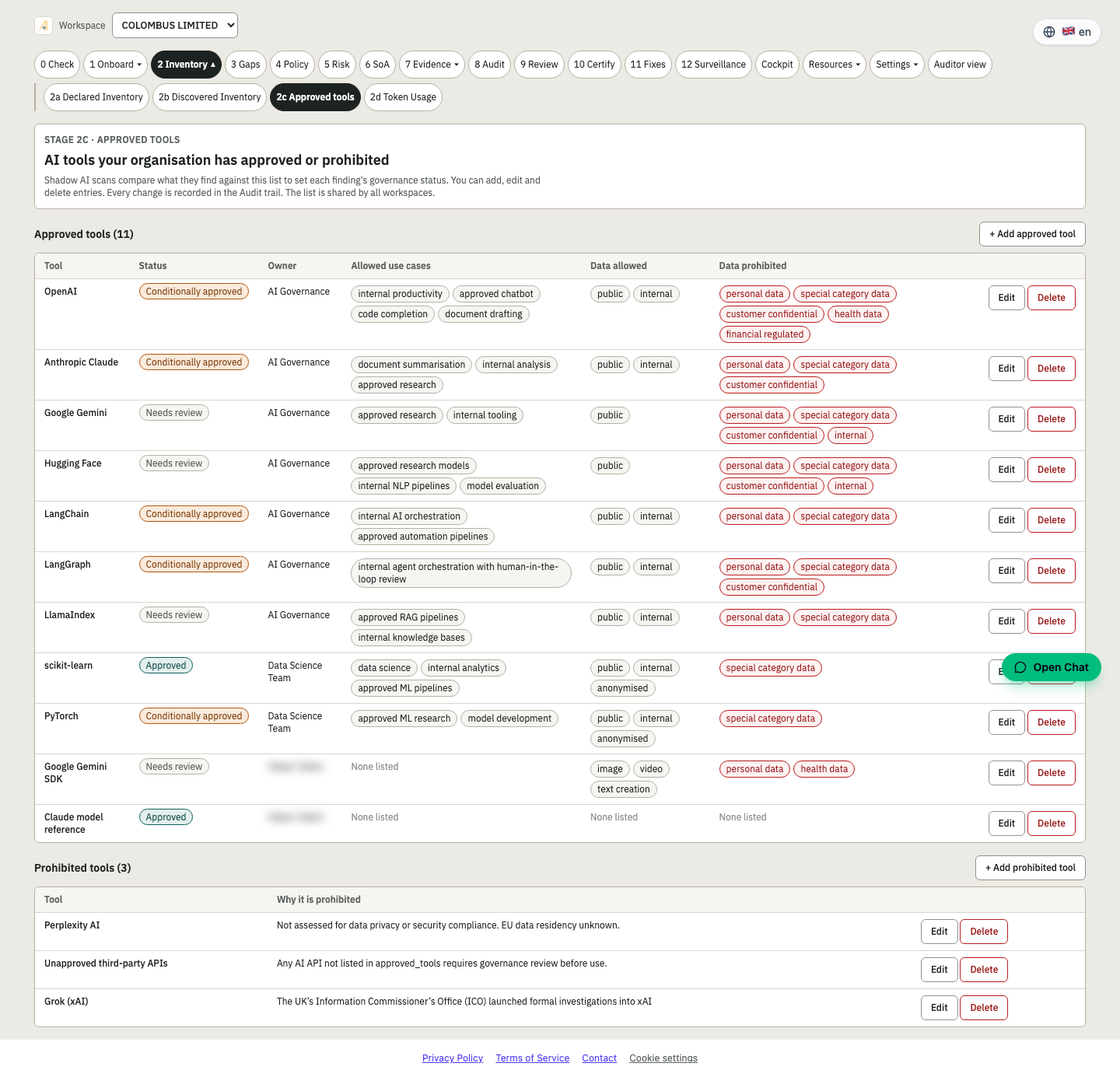
Stage 2c · Approved tools
Publish the approved list
A read-only list your staff can check before they use a tool.
Once findings are triaged, the approved tools are published as a clear read-only list.
- Read-only approved tools list
- Reflects triage decisions
- Easy to point staff to
- Audit-ready record of decisions
Outcome: Staff know what is allowed.
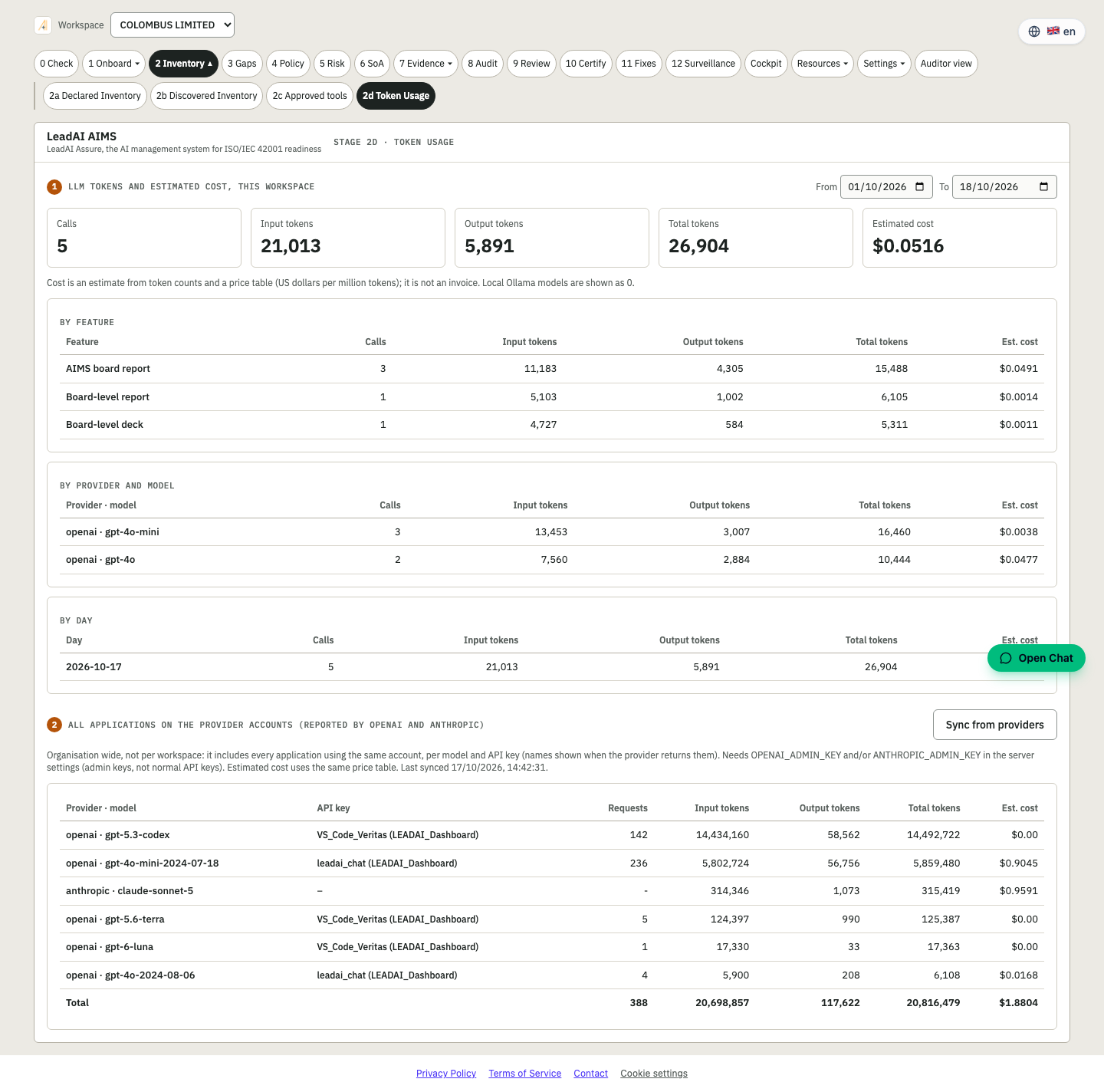
Stage 2d · Token usage
See what your AI actually costs
Tokens and estimated cost for AI calls, by model and day.
The platform records tokens and an estimated cost for its own AI calls. Admins can also pull provider-reported usage for every application on the organisation's OpenAI and Anthropic accounts, with friendly API key names.
- Tokens and estimated cost by model and day
- Provider usage across all applications (OpenAI, Anthropic)
- Friendly API key names
- Costs are clearly marked as estimates
Outcome: Visibility on AI spend and on unknown keys.
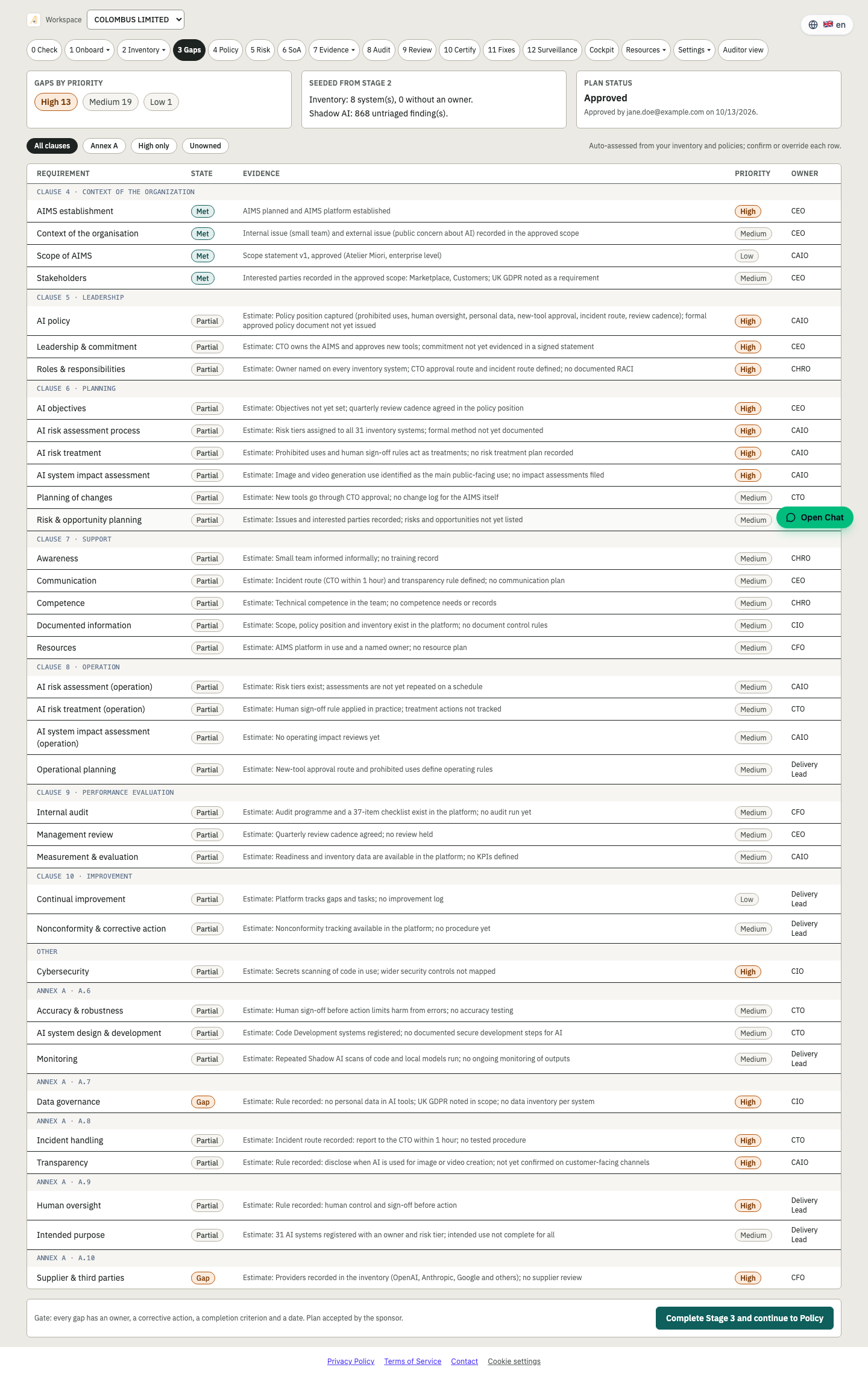
Stage 3 · Gaps
See what is missing against ISO/IEC 42001
Gap analysis across clauses and Annex A.
Compare your current state to the standard. Each requirement is met, partly met or a gap, with the next best action.
- Requirement-by-requirement status
- Clause 4 to 10 and Annex A coverage
- Prioritised next best actions
- Feeds the cockpit and the board report
Outcome: A prioritised to-do list, not a blank page.
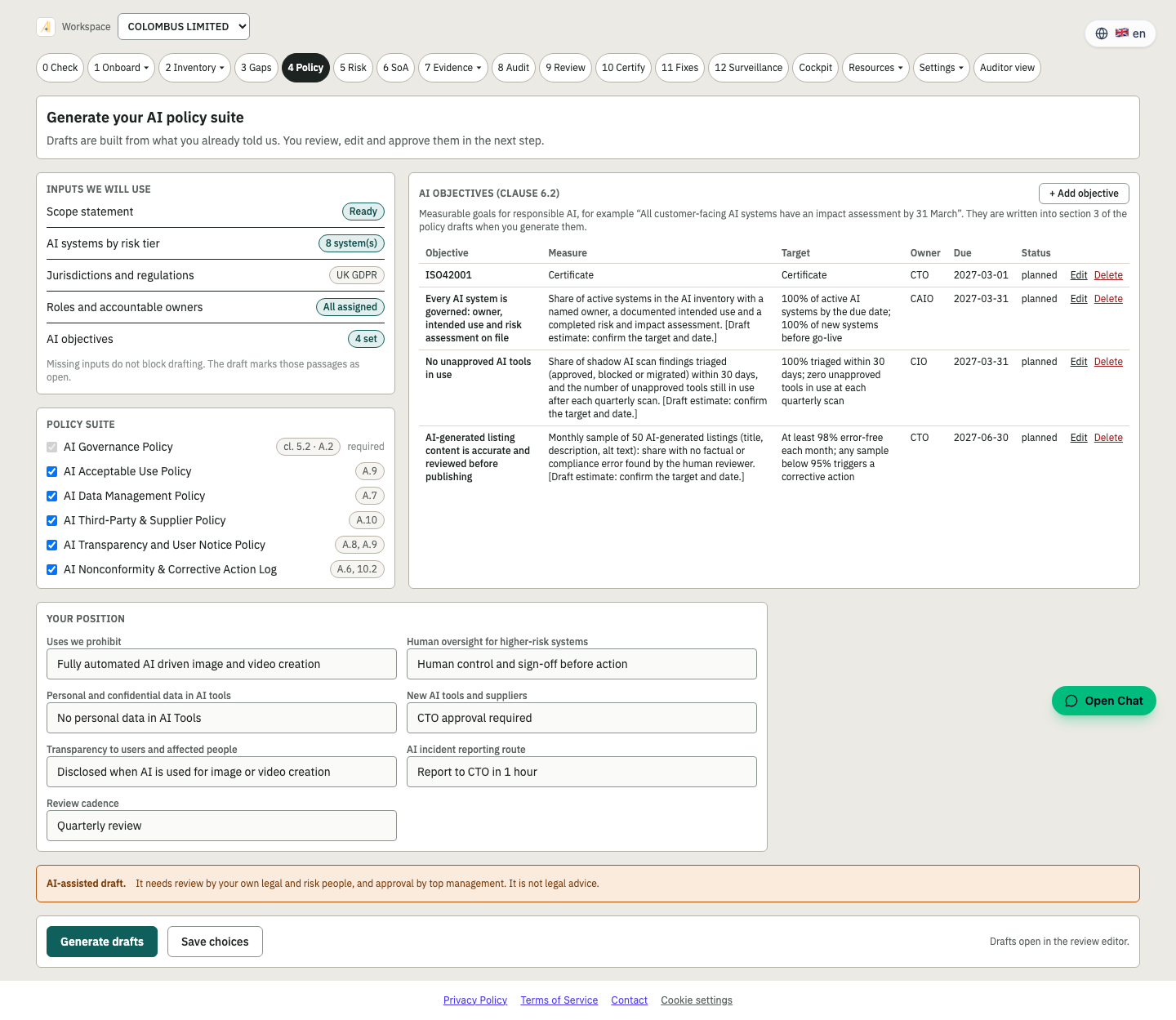
Stage 4 · Policy
Write and approve your AI policy
Governance and AI policy with versions, owners and approval.
Draft the AI policy and supporting documents from your entity, project and policy scope. Nothing is final until an authorised person approves it.
- AI policy and objectives
- Versioning and approval trail
- Entity-wide and project-level policies
- Aligned to ISO/IEC 42001 clause 5.2
Outcome: Policies that match how you really work.
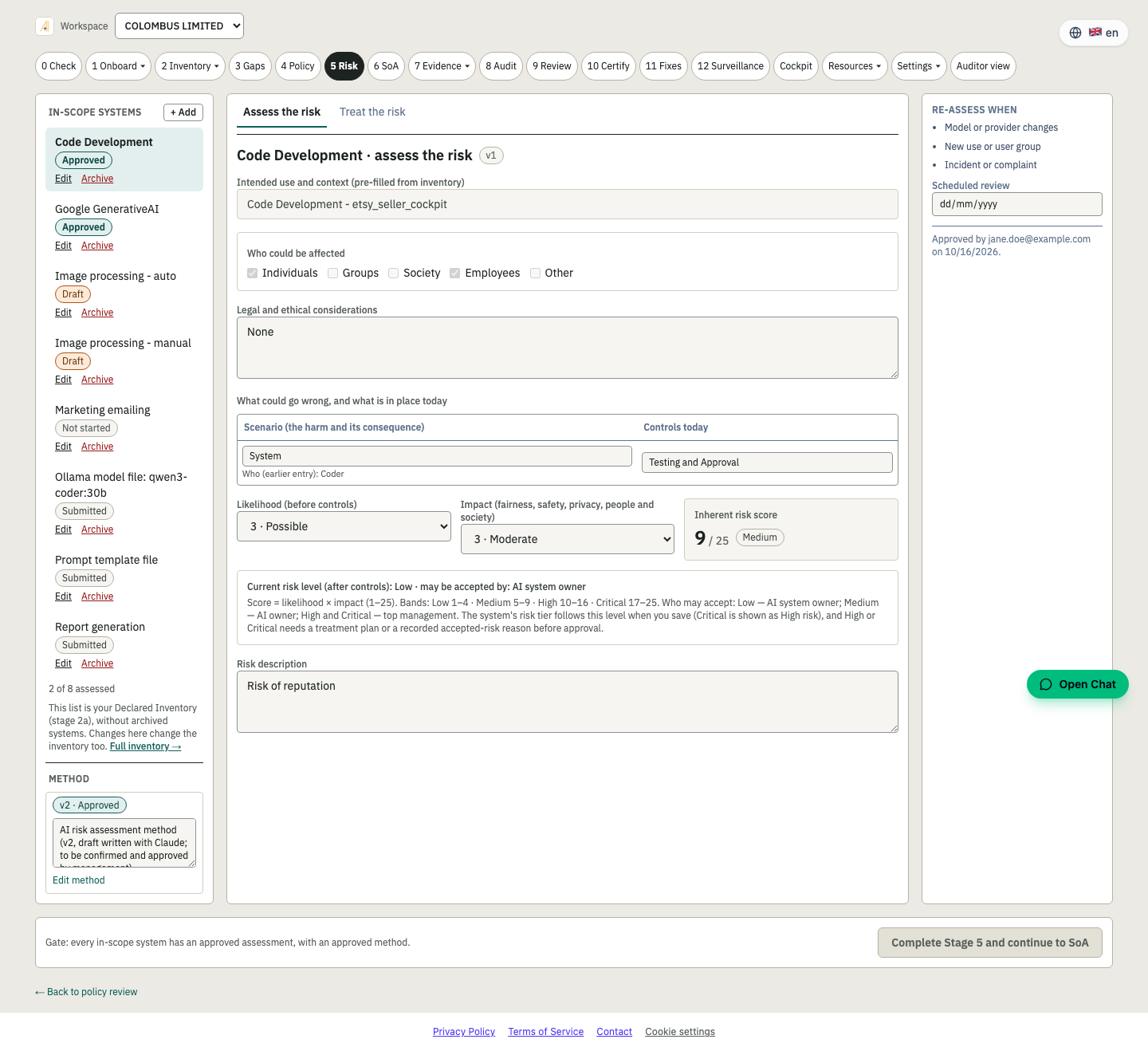
Stage 5 · Risk
Assess AI risk and impact
Risk methodology, risk register and AI impact assessment.
Record your risk method, assess each AI system, define treatment, and link risks to the controls that address them.
- Risk assessment method (clause 6.1.2)
- Risk register and treatment plan
- AI impact assessment (Annex A.5)
- Risks linked to controls
Outcome: Risks you can explain to a regulator.
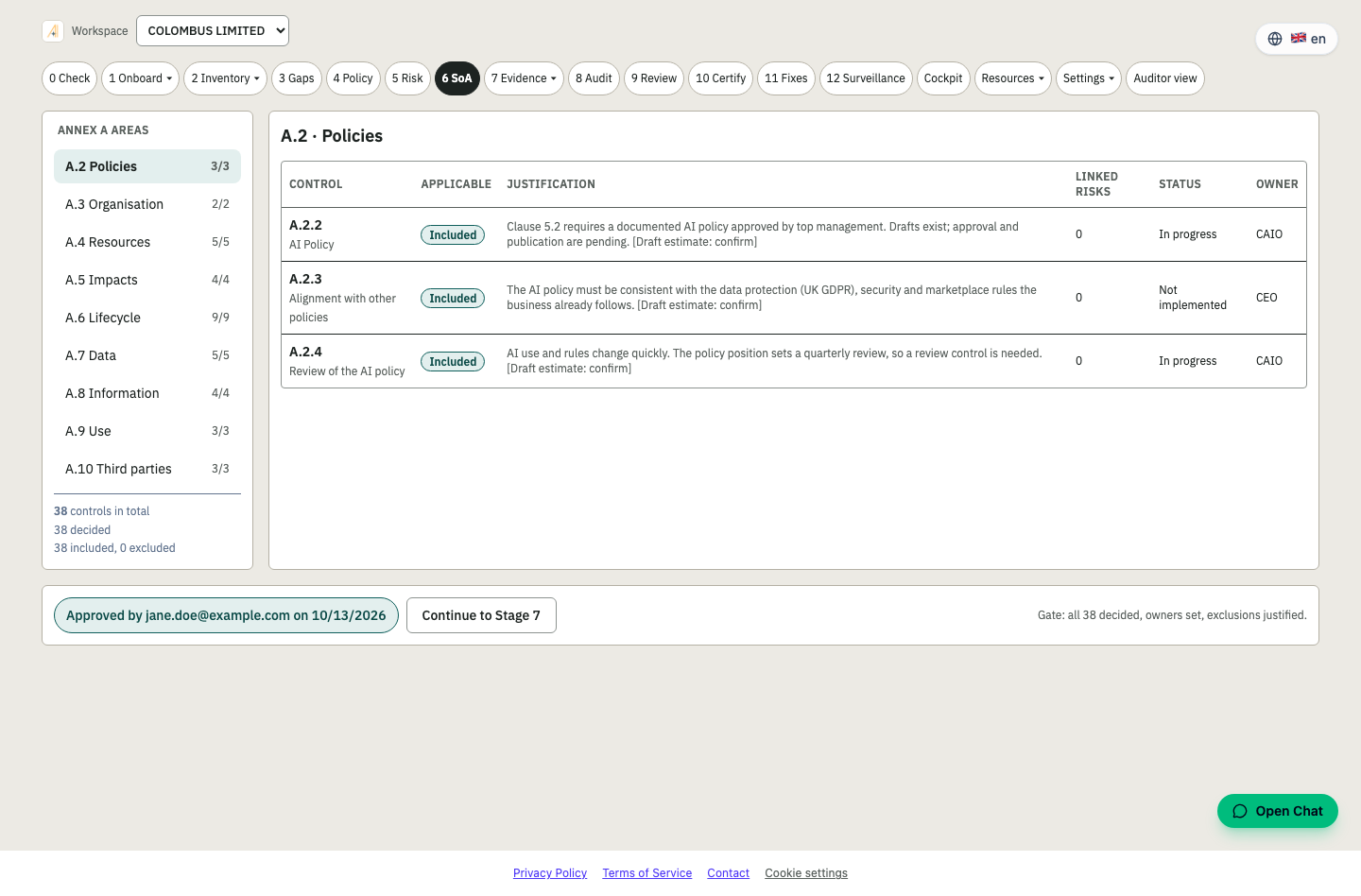
Stage 6 · SoA
Decide which Annex A controls apply
Statement of Applicability with justification for every control.
Every Annex A control is decided, justified and given an owner. Exclusions must be explained before the gate passes.
- All Annex A controls by area
- Included or excluded, with justification
- Owner and implementation status
- Approval recorded before Stage 7
Outcome: The document auditors ask for first.
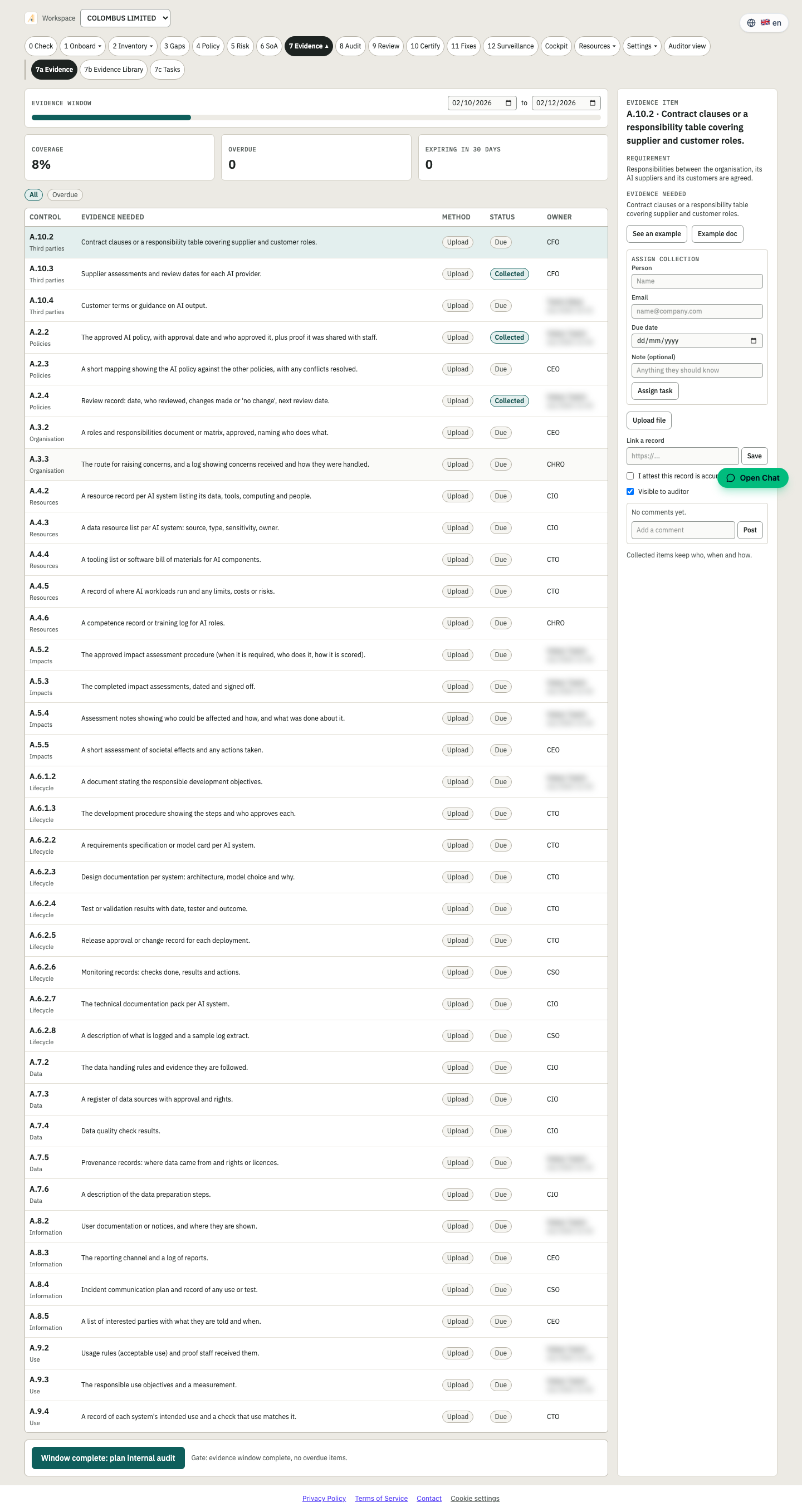
Stage 7 · Evidence
Operate your controls and collect proof
Evidence tied to controls, with owners and review dates.
Collect evidence against each control. An evidence agent can propose a structured assessment, but a human approves it before any score changes.
- Evidence per control with status
- AI-assisted proposals, human approval
- Deterministic scoring, never written by the AI
- Full audit log
Outcome: Proof, not promises.
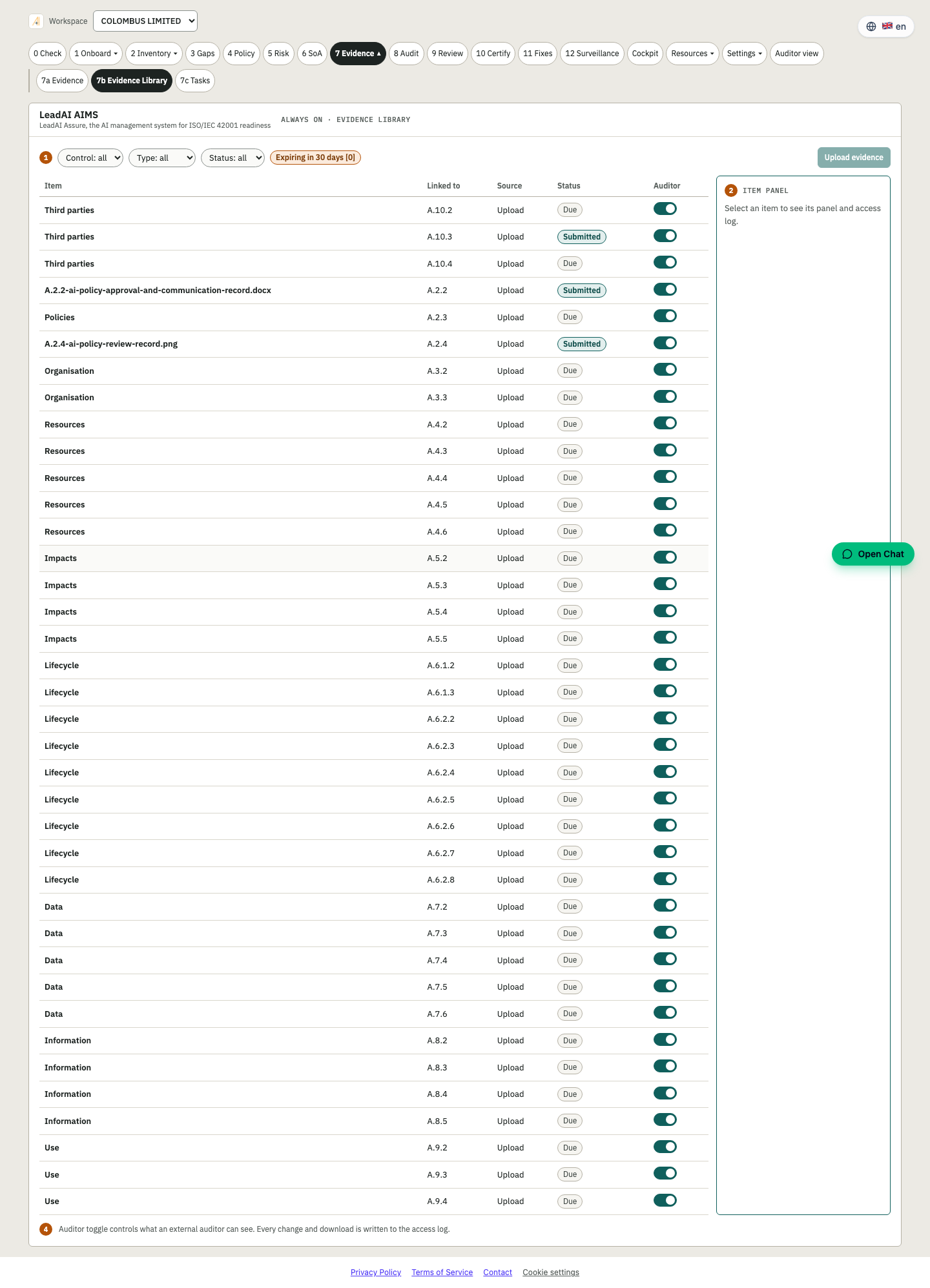
Stage 7b · Evidence library
One home for every record
A searchable library of evidence and documents.
Find any document or evidence item, see where it is used and reuse it across frameworks.
- Central evidence and document library
- Reuse across controls and frameworks
- Version and source tracking
- Ready for the auditor view
Outcome: Collect once, use many times.
Stage 7c · Tasks
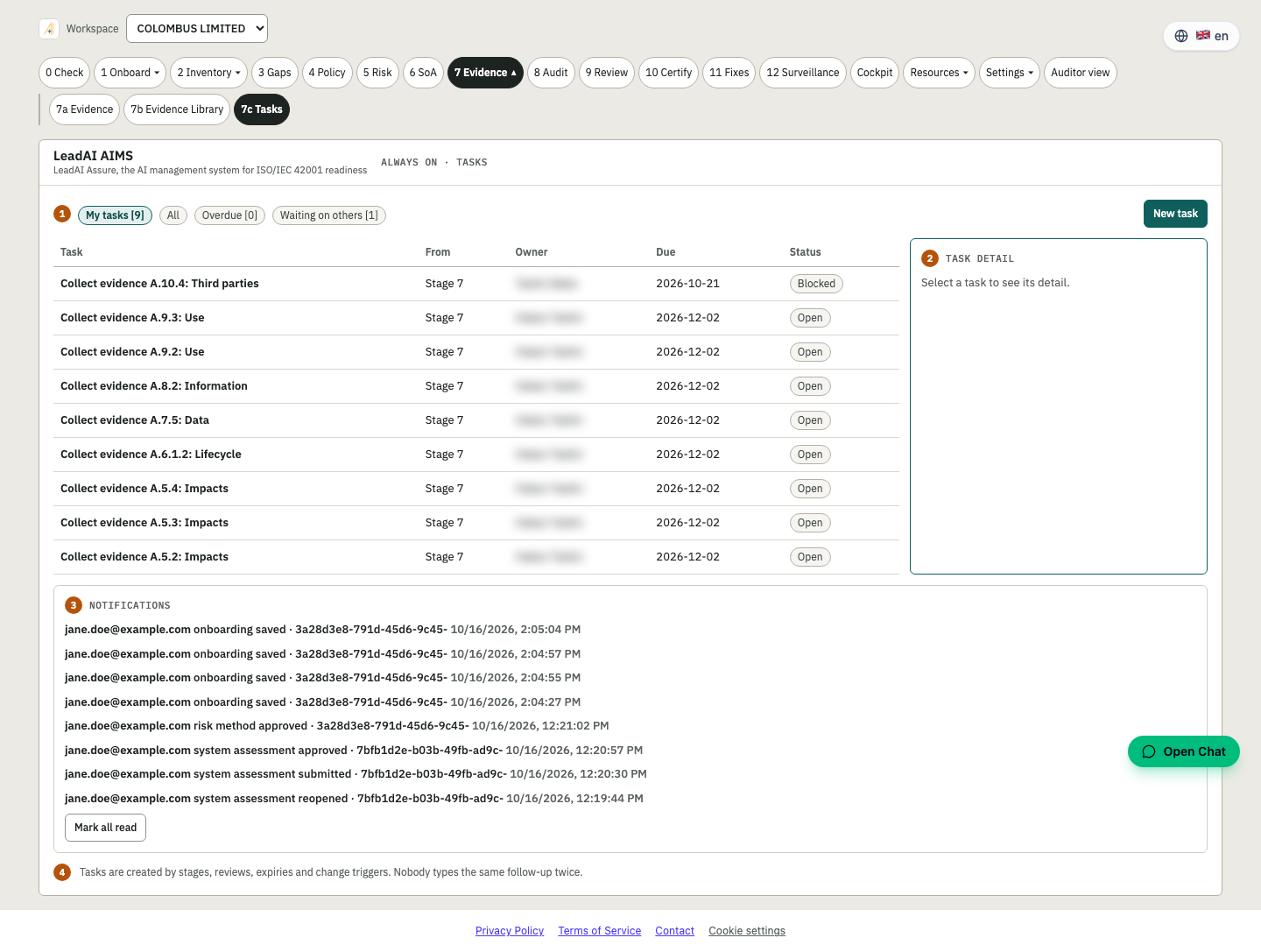
Turn gaps into assigned work
Tasks with owners, dates and status.
Every gap and finding can become a task with an owner and due date, so the plan moves.
- Assigned owners and due dates
- Task status in the cockpit
- Starter tasks from the readiness check
- Email owner shown in the list
Outcome: Accountability for every action.
Stage 8 · Audit
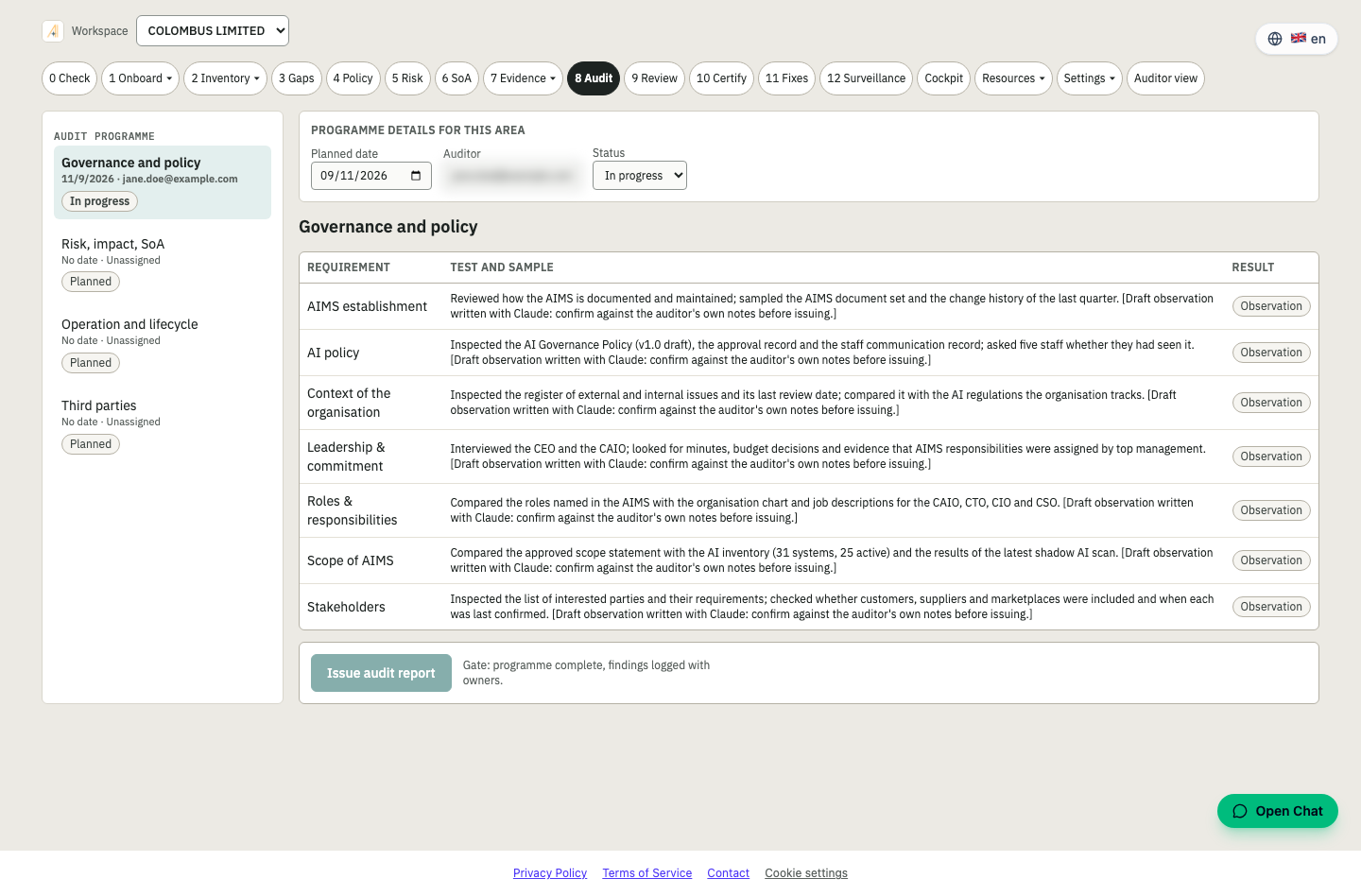
Run an internal audit
Plan the audit, record findings, track corrective actions.
Plan the programme, work through the checklist and record findings. Practise with a mock audit that behaves like an auditor.
- Audit programme and checklist
- Findings and conclusions
- Mock audit from the cockpit
- Findings flow into nonconformities
Outcome: Find it before the certification body does.
Stage 9 · Review
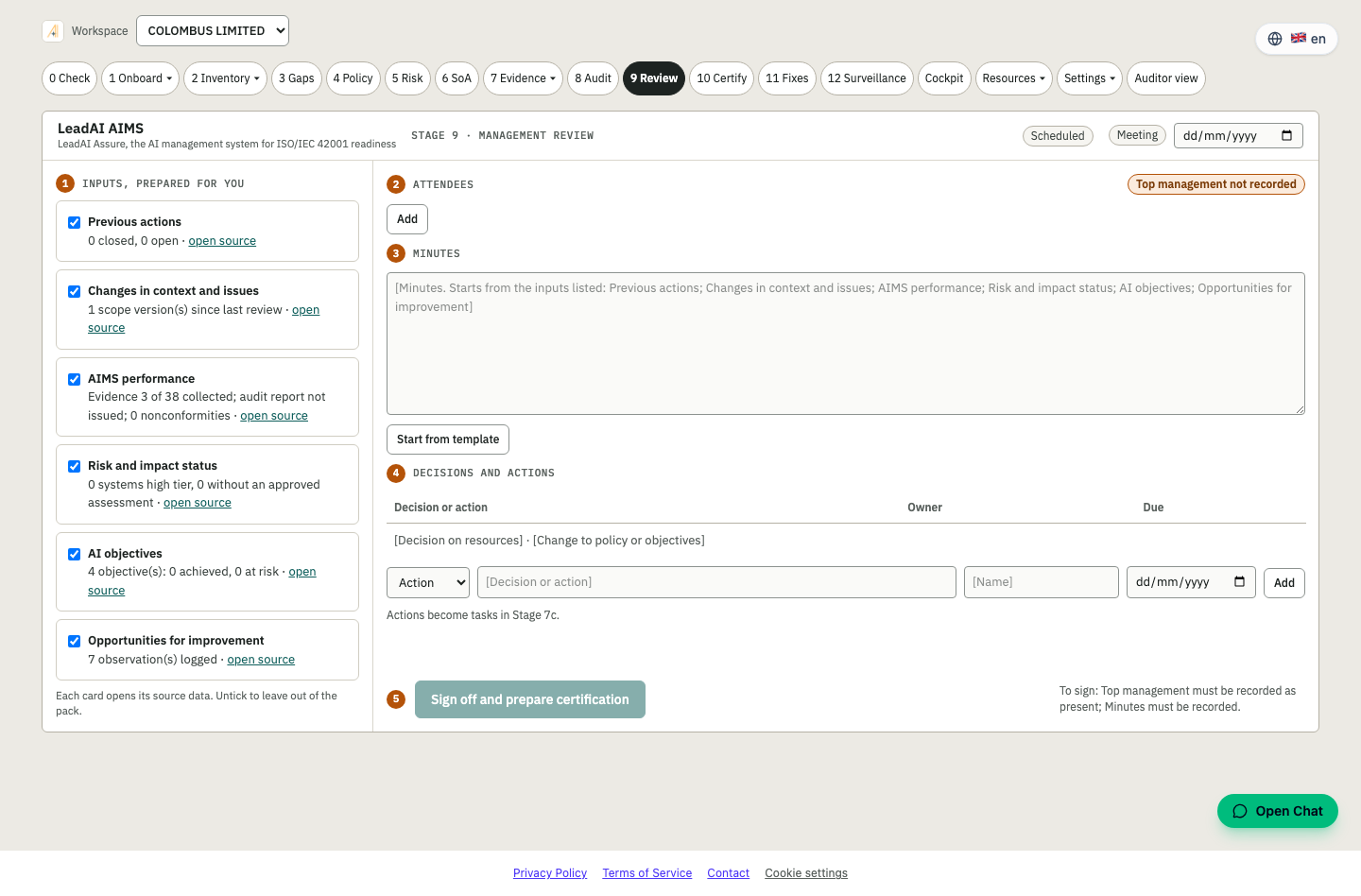
Hold the management review
Inputs, decisions and minutes in one record.
Bring the cockpit, audit results and risks into one management review and record decisions and actions.
- Standard review inputs from live data
- Decisions and actions
- Minutes as a required document (clause 9.3)
- Signed off by top management
Outcome: Leadership visibly in control.
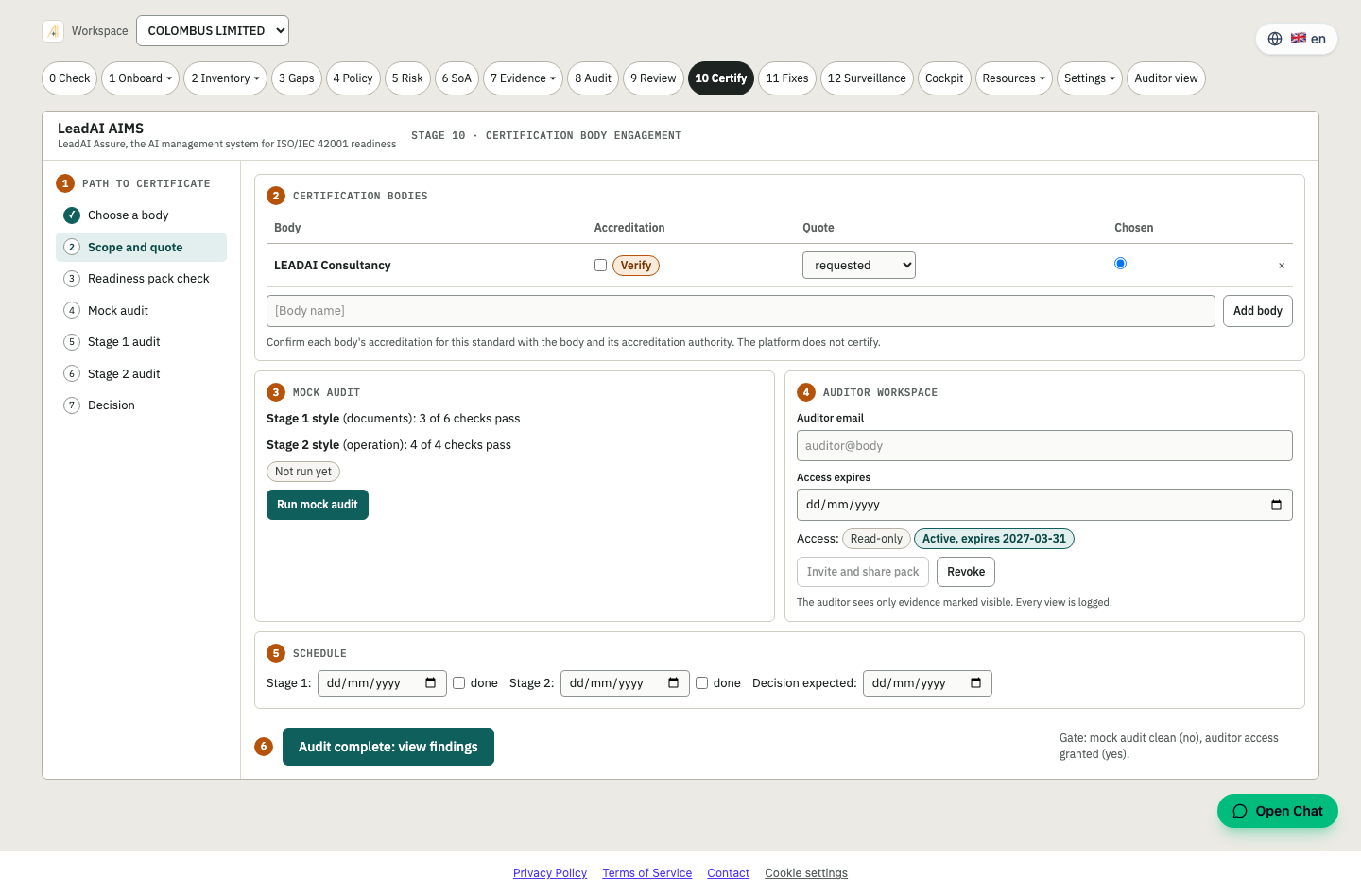
Stage 10 · Certify
Engage the certification body
Stage 1 and Stage 2 readiness and audit logistics.
Prepare the audit pack, schedule Stage 1 and Stage 2 and keep the evidence window under control.
- Certification body engagement
- Stage 1 and Stage 2 preparation
- Estimated audit-ready date
- Auditor view for read-only access
Outcome: Walk into the audit prepared.
Stage 11 · Fixes
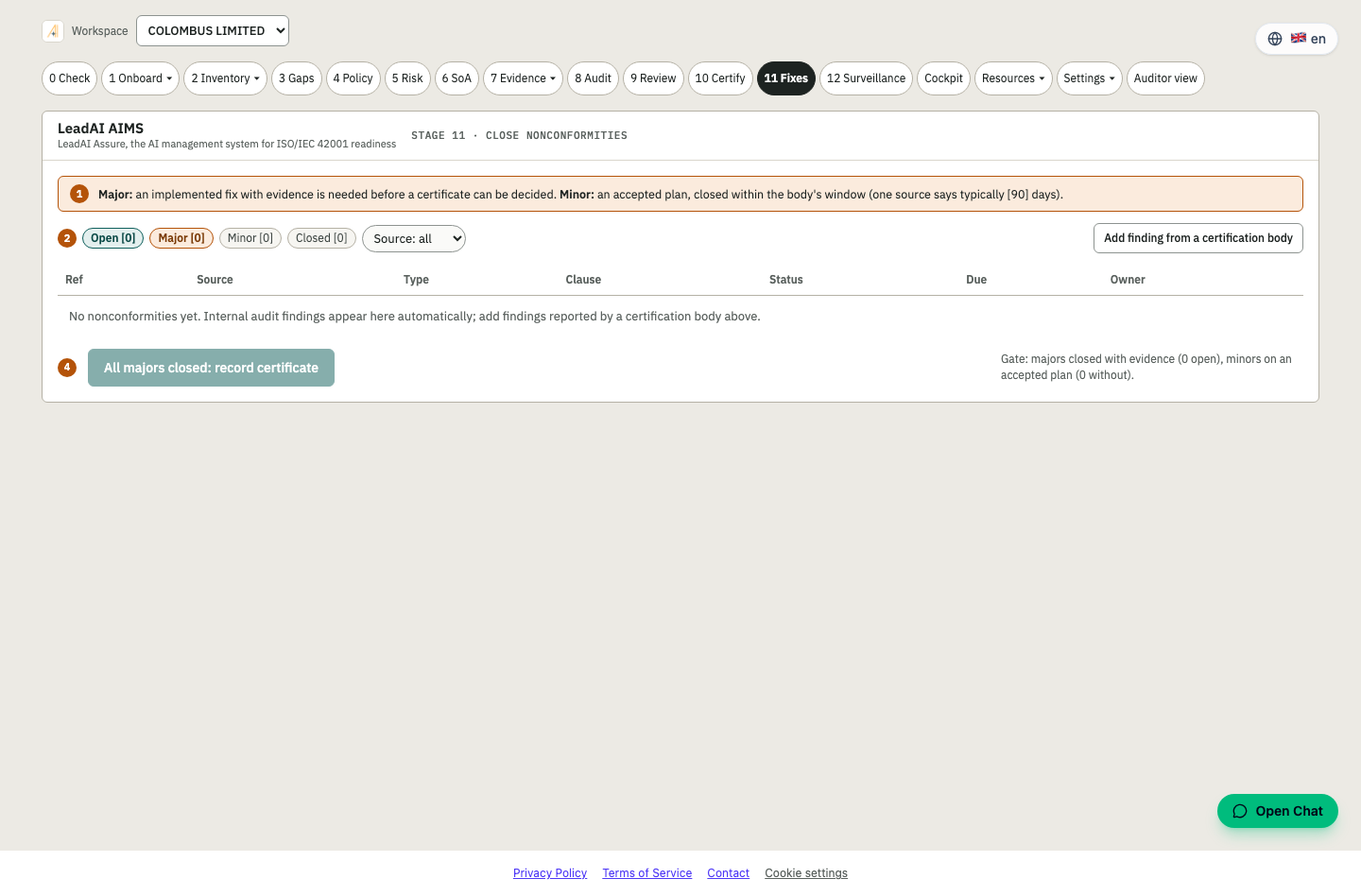
Close nonconformities
Corrective actions from findings to verified closure.
Each nonconformity gets a cause, a corrective action, an owner and a verification before it is closed.
- Nonconformity register
- Root cause and corrective action
- Verification before closure
- Trail for the auditor
Outcome: Findings closed, and shown to be closed.
Stage 12 · Surveillance
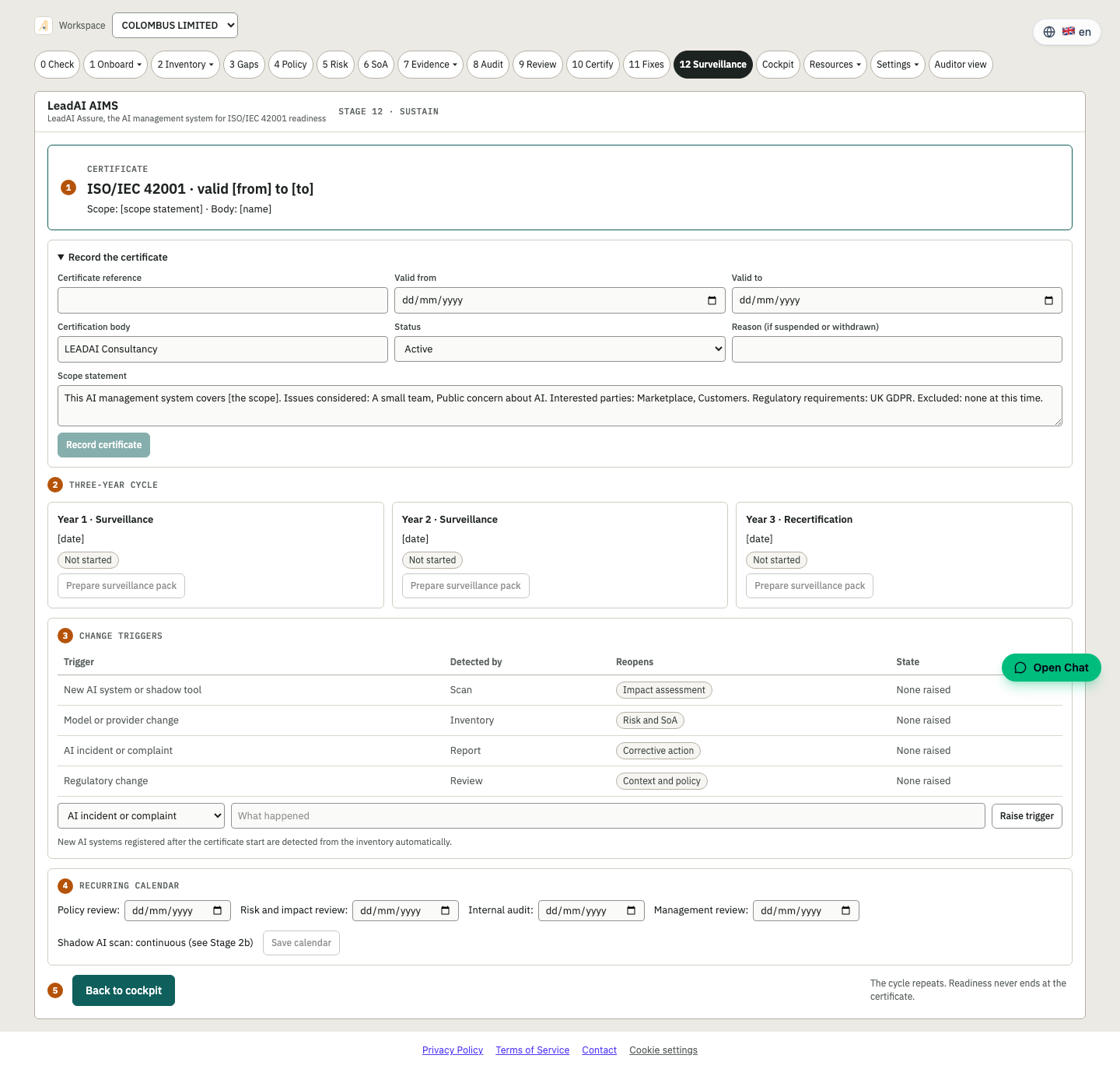
Stay certified
Ongoing monitoring between audits.
Keep controls, evidence and reviews current with a rolling plan, so annual surveillance audits are routine.
- Surveillance plan
- Recurring reviews and evidence refresh
- Continuous monitoring of controls
- History in the audit trail
Outcome: Certification that lasts.
Start at stage 0
The readiness check is free and takes about 25 minutes.